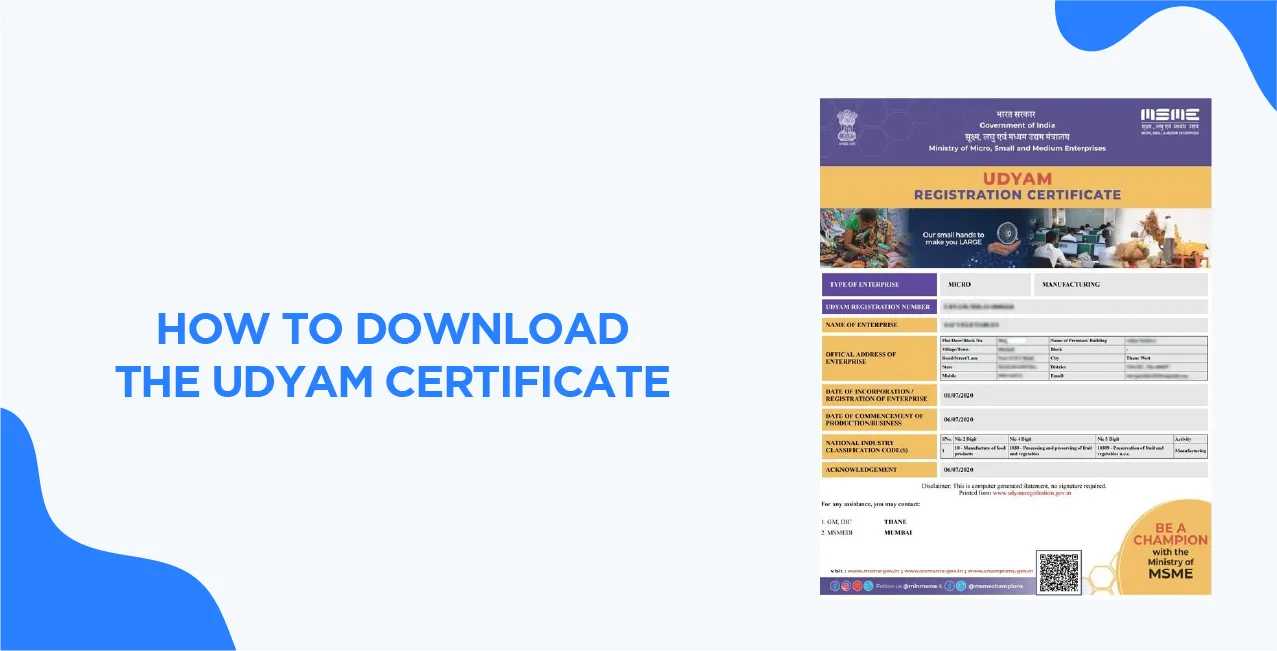
How to Download the MSME/Udyam Certificate Easily Online From the 1st of July 2020, the Ministry of Micro, Small, and Medium Enterprises issued a directive that Udyam registration for every MSME throughout the nation, replacing the earlier Udyog Aadhaar system. The MSME/Udyam certificate plays a crucial role as it keeps a track of the financial graph of Micro, Small and Medium enterprises associated with government subsidies, schemes and medium. Before getting into how to download the MSME certificate, let's understand the use of the MSME certificate for businesses. What is an MSME Certificate The MSME/Udyam certificate is issued by the Ministry of Micro, Small and Medium Enterprises. This certificate was introduced with the vision to ensure business categorisation based on their turnover and operational investment. This allows firms to take advantage of various government schemes, subsidies and incentives that support entrepreneurial growth exponentially. Moreover, the MSME certificate grants recognition to MSMEs to access financial aids such as collateral-free loans, patent and trademark payment discounts. Udyam registration or MSME certificate provides a unique identity number to every business category, grouping them into micro, small and medium firms based on their operational capability. For a better understanding of how businesses are classified into different categories, go through the MSME Classification article published by SWIPE.
The fundamental vision behind introducing this registration by the Indian government is to provide guidance and financial support to businesses across the nation. Udyam registration has become mandatory as it provides benefits in terms of simplified licensing approvals and registrations. Apart from this, MSMEs also get a waiver for government-based security deposit while applying for any tenders for government projects. MSME certificate also permits enterprises to attain tax exemptions, concession of electricity and water usage billing during the business operations.
Required Documents For Udyam Registration: Before downloading the MSME certificate, completing the Udyam registration is necessary, which requires various documents to confirm the personal identity of business owners. You can visit the Udyam Registration portal and start your registration by selecting the category “New Entrepreneur not Registered as MSMEs”. Provide the document in the required order validate your registration by giving the organisation's operating details. Required documents include Udyam Registration:
GST Certificate for the firm
PAN of the Business
Aadhaar Card
Entrepreneur Social Category
Mobile Number
Registered Email Address
Date of Business Commencement
Banking Account Details
Number of Employees (Male and Female Based on Bifurcation)
Lates Financial Audit of the Firm.
Eligibility Criteria for Udyam Registration Udyam registration can be completed by businesses that fall into the outlined eligibility criteria for micro, small and medium organisations., The organisation must be fit into one of three classifications to proceed with Udyam registration and MEME certificate download. The eligibility criteria are outlined based on the enterprise's investment across operational functions, which are mentioned below:
Enterprise Type Business Investment Business Turnover Micro Maximum 1 Crore Rupees Maximum 5 Crore Rupees Small Maximum 10 Crore Rupees Maximum 50 Crore Rupees Medium Maximum 50 Crore Rupees Maximum 250 Crore Rupees
Apart from this, the organisation must be a registered legal entity in the service and manufacturing sectors across the nation. The government effort and eligibility aspect allows a large category of retailers, firms and wholesalers to apply for Udyam registration to avail financial benefits.
Step-by-Step Guide To Download the MSME/Udyam Certificate You can follow these steps to access your MSME certificate on the official portal:
Step 1: Visit the official UDYAM certificate website.
Step 2: Click “Verify/Print” from the home page drop-down menu on the very right corner.
Step 3: Click on “Print Udyam Certificate” to go to the Login Page.
Step 4: Provide the Udyam Registration Number (URN) and the registered Mobile Number (URN is of 16 digits in the format of UDYAM-**-**-*******).
Step 5: Verify the entered details by OTP validation (Choose from ‘OTP on Email’ or ‘OTP on Mobile’ based on your ease).
Step 6: After validating OTP, click on PRINT.
Step 7: The Udyam Aadhaar Certificate can be seen on the home screen.
Step 8: From there, you can choose to print with Annexure to access your MSME/Udyam Certificate.
You can also download your MSME/Udyam certificate through your registered mobile number, Pan number, UAN Number, reference number and Annexure by providing the above-mentioned documents.
Why You Should Have an MSME Certificate Having an MSME certificate provides financial as well as operational benefits, alongside increasing the firm's credibility across the operating market. An MSME certificate allows enterprises to access lower interest rates as they possess a legal entity certificate, which is backed up by the government. Moreover, an MSME certificate enhances the brand credibility, offering greater market opportunity and delayed payment protection, streamlining business growth to a greater extent.
Conclusion To download your MSME certificate after completing the Udyam registration and following the step-by-step guide mentioned above. Udyam platform can provide a wide range of benefits for MSMEs. A newly found start-up can start its journey by registering itself as an MSME under Udyam to avail financial benefits and streamline business growth.
Whether you are a micro, small, medium or large firm, for easy handling of business accounts, use SWIPE .
FAQs Question 1: What if I can’t recall my Udyam Registration Number (URN)? URN number is crucial for accessing the MSME certificate. If you cannot recall it, go through your registration document to retrieve the URN.
Question 2: How to download the MSME certificate for free? Go to the Official Udyam Registration Platform and follow the step-by-step guide mentioned above.
Question 3: What is the Udyam certificate, and how to download the Udyam Certificate? Udyam certification is a firm confirmation for their registrations as MSME across operating industry. You can download the Udyam certificate by visiting the Udyam Registration portal by providing the required documents.
Question 4: How long is the MSME certificate valid? The MSME certificate is valid till the operational activity of the business is ongoing, as it does not require any renewal.
.png)
-compressed.jpg)
.jpg)


.png)
.png)
.png)
.png)